
Procedures: your work instructions in the tool, not in a binder.
A procedure that lives in a binder at the office is not applied up a tower. A procedure shown on the phone, ticked point by point and timestamped in the technician’s name, is.
One instruction set per type of work
Antenna installation, rectifier replacement, preventive visit, generator work: each type carries its own list of checks. The technician ticks them on site; the platform timestamps and signs each one in his name.
- Critical points flagged separately, for safety and compliance
- Expected values displayed: torque, azimuth tolerance, VSWR
- The measured value entered next to the expected one
- An unticked critical point appears as a reservation on the customer’s order

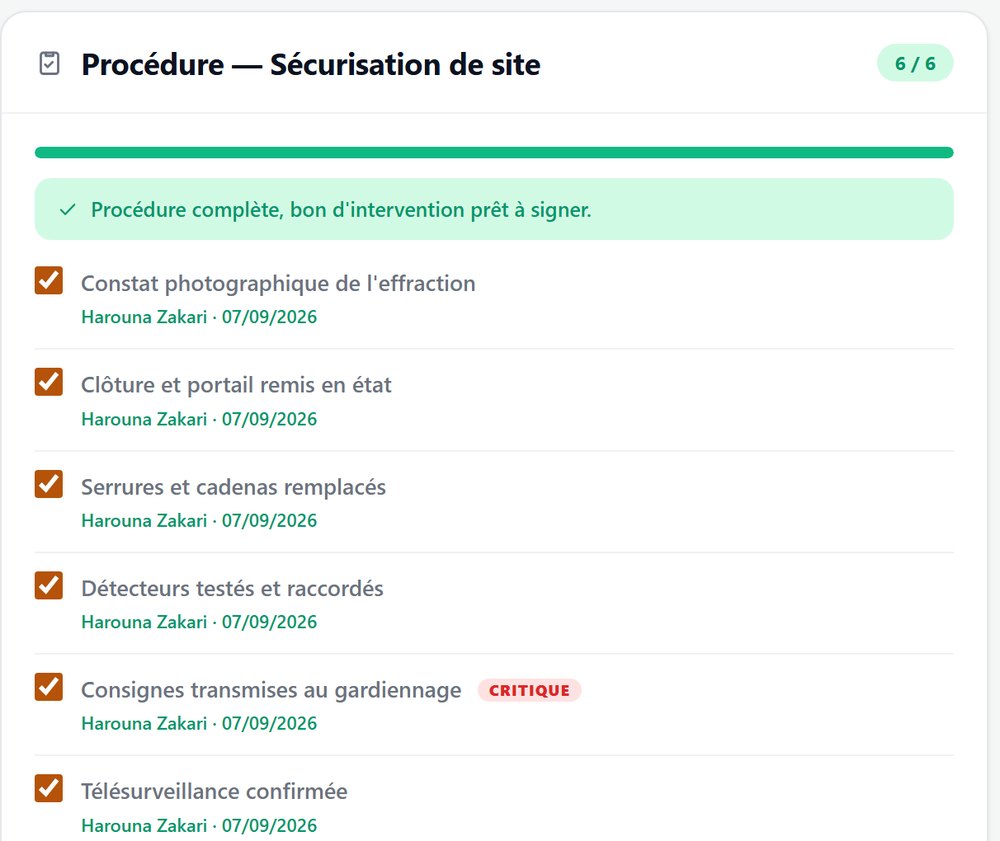
Compliance becomes a by-product, not an audit.
For the technician
He no longer has to guess what is expected. The list is on screen, in order, with the reference values. A new hire becomes autonomous faster.
For the project manager
He knows what was checked and what was not, without calling the team back. A reservation is a piece of data, not a handwritten note.
For health and safety
Harness use, isolation, PPE checks are critical points, traced and named. An audit consults the record instead of reconstructing it.
For the customer
The order he signs carries the procedure applied. He is not paying for work on trust, he is paying for documented work.
The instruction sets are yours. They are created and changed in the settings, with no involvement from us. When a client imposes its own check sheet, you add it yourself.
See the platform run on your own cases
An hour is enough: you open a request, assign it, close it and print the signed work order. Then we look at how your operation fits in: your customers, your sites, your contractual deadlines.