
Your whole field operation, from the first call to the invoice.
TerraForce is the management platform for telecom operators and their subcontractors: from the customer request to the signed work order, through to the invoice. Your technicians carry it in their pocket and work from the site, including out of network coverage.
Built for African networks, used from the field
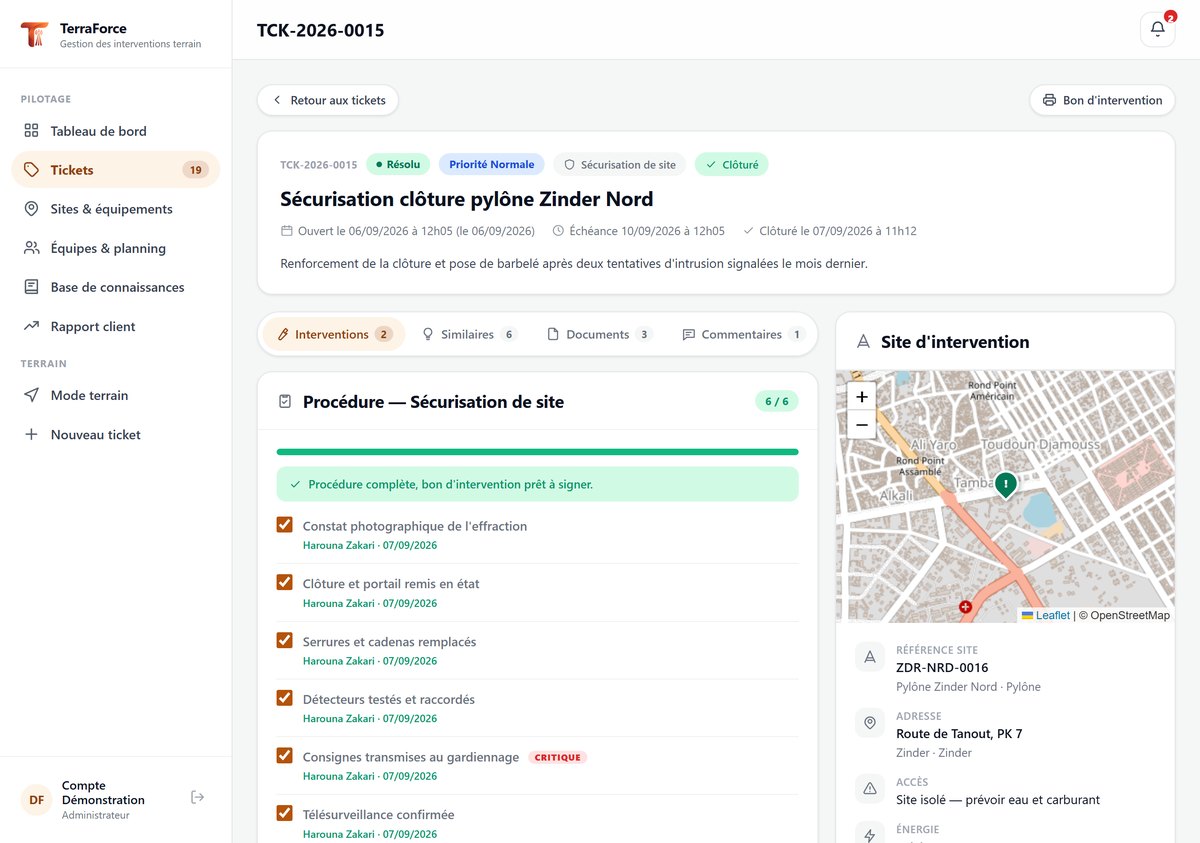
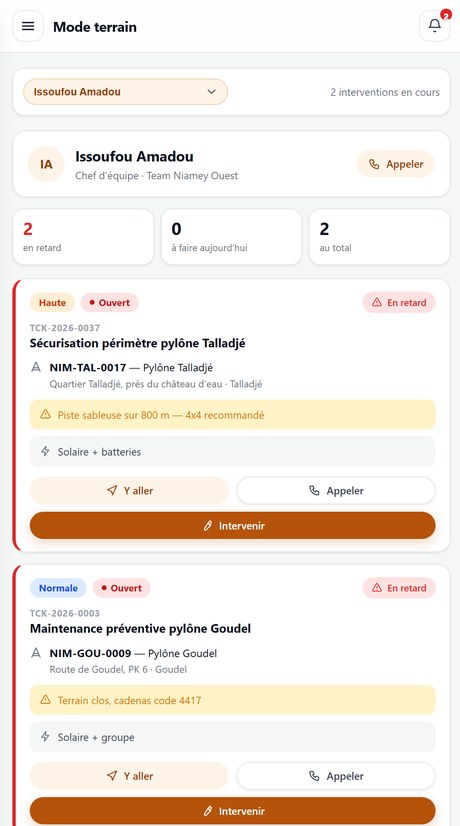
Composition of two real screenshots · demonstration data
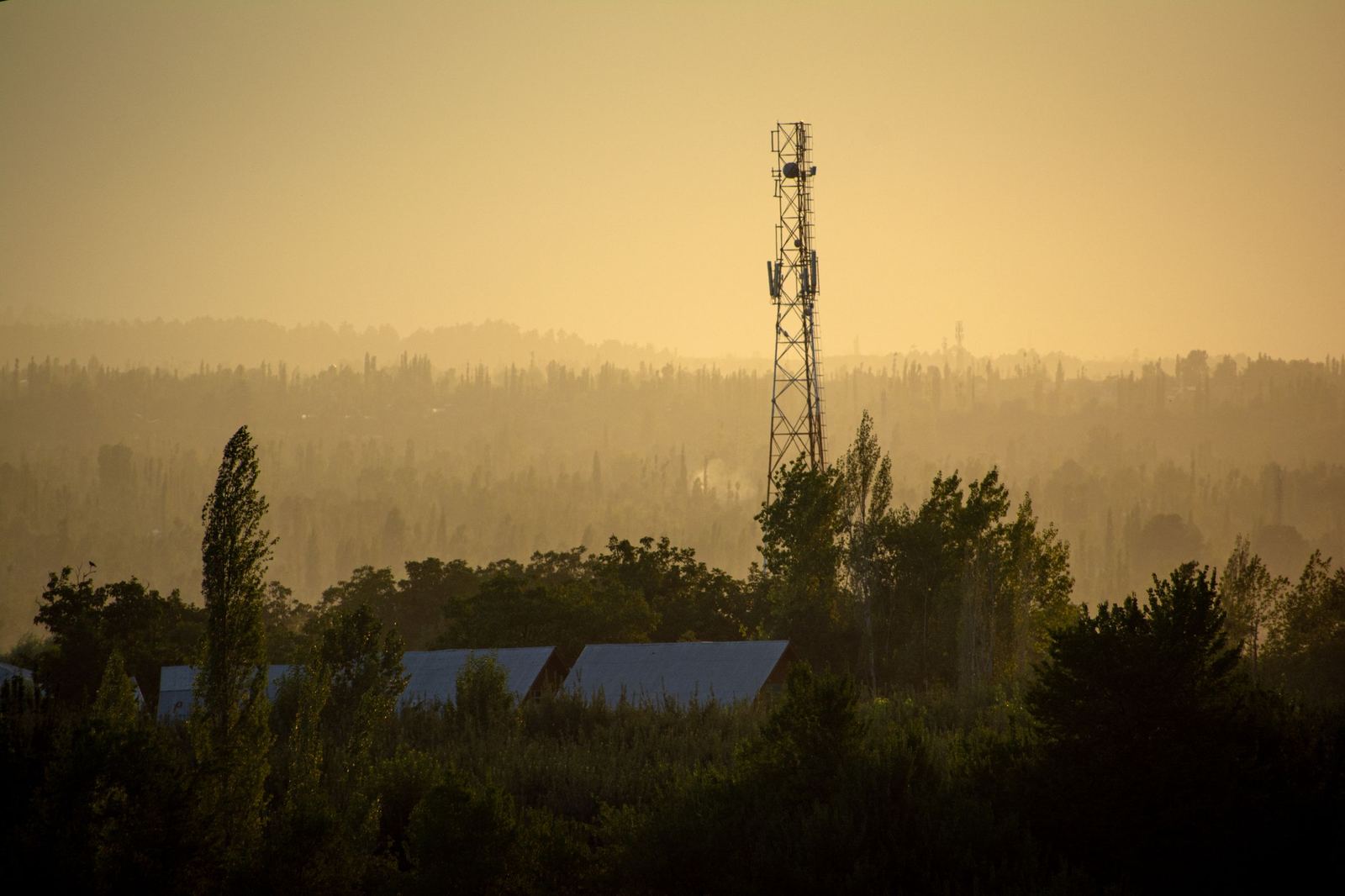
The problem is not knowing how to fix it. It is being able to prove it.
Your teams work on scattered sites, sometimes several hours down a dirt track. Follow-up happens through calls, messages and notebooks. When the client asks what was done on a site last month, the answer is reconstructed from memory, and the invoice gets reopened.
The delay that is not one
A ticket stuck waiting on a supplier part counts as an overrun. Your figures show an operation in trouble when it is simply waiting on a third party.
The knowledge that leaves with the team
The technician who fixed that alignment fault last year has moved on. His report, if it exists at all, is in a notebook or a chat thread.
The invoice that gets argued over
With no order signed on site, no photographs, no readings, the job is reopened at payment time. Justifying it costs more than the job itself.
Access rules discovered on arrival
Combination padlock, badge to request two days ahead, track impassable after the rains: the information exists, just not in the technician’s pocket.
One chain, not six tools copying each other.
The request, the work, the proof and the invoice are the same record. Nothing is retyped from one module to the next: the signed order feeds the customer report, the parts fitted leave stock, the time spent lands on the invoice.
Telecom field work, not a CRM bent into shape.
We speak of sites, high points, site references, azimuth, load shedding, paused SLAs and work orders. Not machines, serial numbers or generic tickets. Ten areas to walk through, fifteen modules installed.
Operations
Requests, tickets, assignment, contractual deadlines
See the module → 02Field mode
The technician’s round, on their phone
See the module → 03Sites and assets
Geolocated sites, equipment, access instructions
See the module → 04Procedures
Work instructions, critical points, compliance
See the module → 05Proof
Signed work order, electronic signature
See the module → 06Commercial
Customer records, quotations, invoices
See the module → 07Stock
Parts, movements, issues tied to interventions
See the module → 08Scheduling
Appointments, team workload, field agents
See the module → 09Oversight
Dashboard, reports, knowledge base
See the module → 10Administration
Users, permissions, settings, audit log
See the module →What your teams actually see.
No mock-ups, no artist’s impression: these are the platform’s screens, filled with demonstration data that is entirely fictitious.
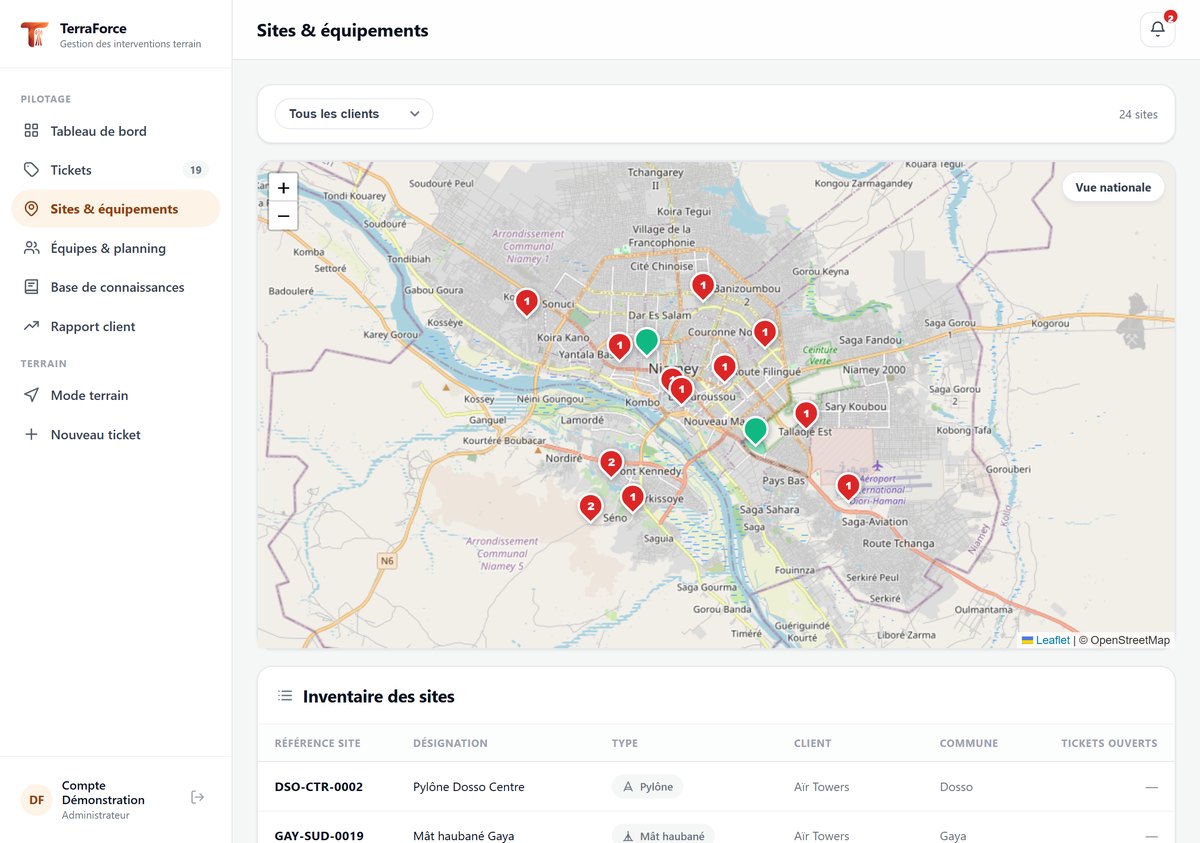
Your sites on a map
Every site geolocated, with its open tickets. Dispatch sees at a glance which sites are expensive, and groups three neighbouring visits into one trip instead of making three.
- Open map tiles, no interface key and no metered quota
- Switch between the regional view and the national view
- Access instructions and power source on every site record
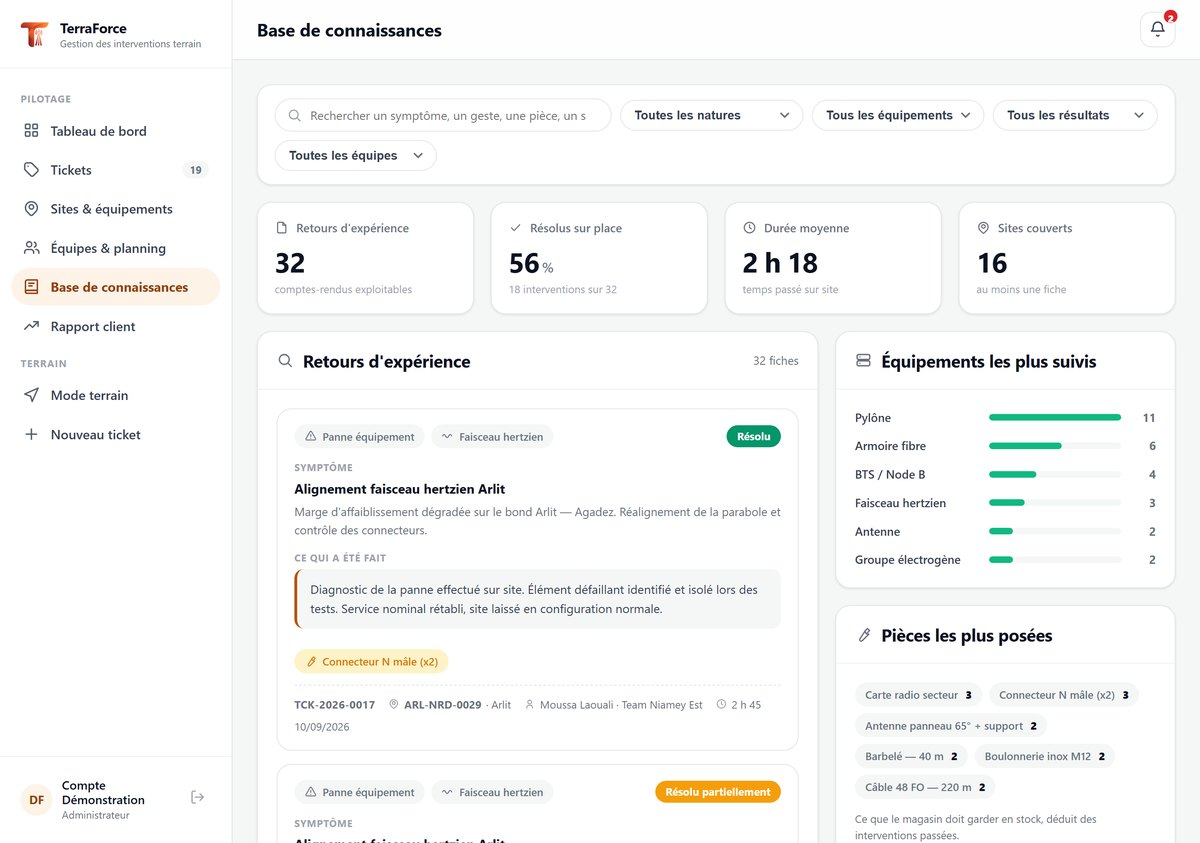
Your teams’ memory
This is the screen nobody mentions in a tender, and the one that changes an operation the most. Every intervention report feeds a searchable base: the symptom, what was done, the part fitted, the time spent.
- Full-text search, filters by type of work, equipment and outcome
- Comparable cases surface on their own on every new ticket
- The most-serviced equipment and the most-fitted parts
- The technician who leaves no longer leaves with what he knew
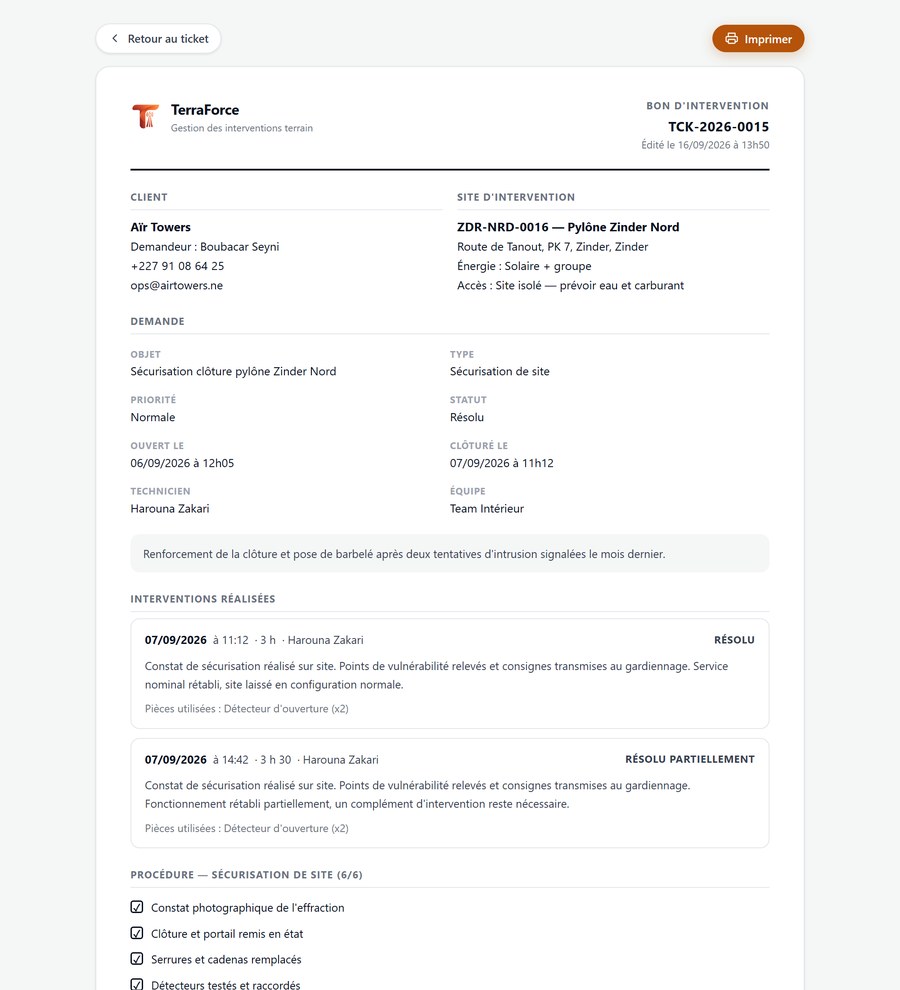
The work order, signed on site
It carries the request, the site, the work done, the parts fitted and the procedure ticked. It is signed with a finger in front of the customer’s representative, at the end of the visit. This is the document that gets the invoice paid.
Field conditions, not demo-room conditions.
Nothing is loaded from outside
System fonts, embedded icons, self-hosted mapping. No third-party script, no tracker. The page renders on a weak mobile link because it is not waiting on anyone.
Usable on a phone, even with no network
Field mode is designed first for a six-inch screen held in one hand, gloves included. It works out of coverage: procedure, readings, photographs and the signature on the order, then automatic sync on reconnection.
Your entities stay separated
Branches, subsidiaries or countries: each sees its own scope, head office sees everything. The partition sits in the foundations, not in a display setting.
Your data stays yours
Hosted in Europe by default, a database dedicated to your company, daily backups. No data passed to any third-party service, no advertising, no behavioural analysis.
Your own vocabulary
Statuses, types of work, equipment classes and contractual deadlines are configured. They are yours, not a software vendor’s.
A demonstration, not a brochure
A complete environment, with realistic and fictitious data, is made available. You create a ticket, you close it, you print the order.
Four trades, the same chain of proof.
Telecom subcontractor
You work for several clients, each with its own deadlines and report formats. The signed proof is what gets the invoice paid.
Operator
You run a network and a set of contractors. You want to know what was done on a site, by whom, and whether the contractual deadline was met.
Tower company
Your towers host several operators. Every visit, every access granted and every power incident must be traced and rebilled to the right customer.
Power operator
Generators, rectifiers, batteries, solar: preventive maintenance and breakdown response follow the same procedure and the same signed order.
Published by Figelys
TerraForce is developed and published by Figelys, a French software studio. We design business applications and we run them over the long term.
TerraForce is not a prototype. The management foundation, customer records, quotations, invoices, service tickets, stock, scheduling and permissions, is code we have been developing and maintaining for years. Telecom field work is grafted onto it, and the rollout is scoped to your activity.
See the platform run on your own cases
An hour is enough: you open a request, assign it, close it and print the signed work order. Then we look at how your operation fits in: your customers, your sites, your contractual deadlines.